
Overview
Azure Network Watcher provides tools to monitor, diagnose, view metrics, and enable or disable logs for resources in an Azure virtual network. It is a regional service that enables you to monitor and diagnose conditions at a network scenario level in, to, and from Azure.
Create a Network Watcher in the portal
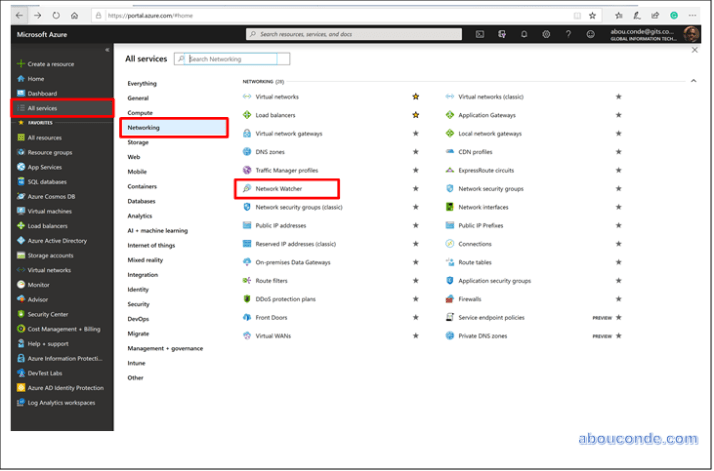
Navigate to All Services > Networking > Network Watcher.
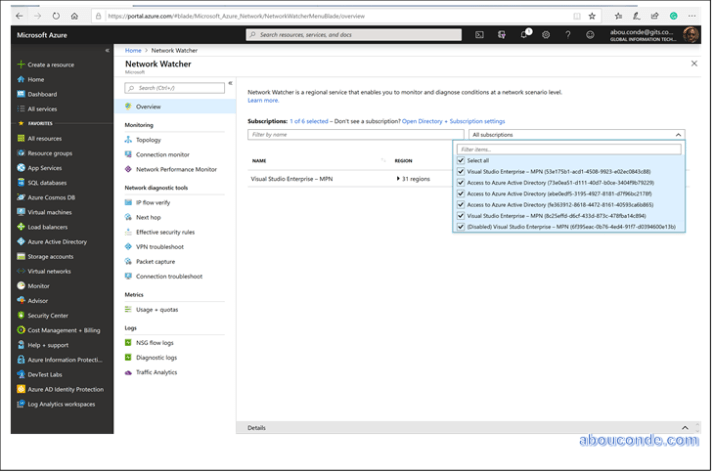
You can select all the subscriptions you want to enable Network Watcher for. This action creates a Network Watcher in every region that is available.
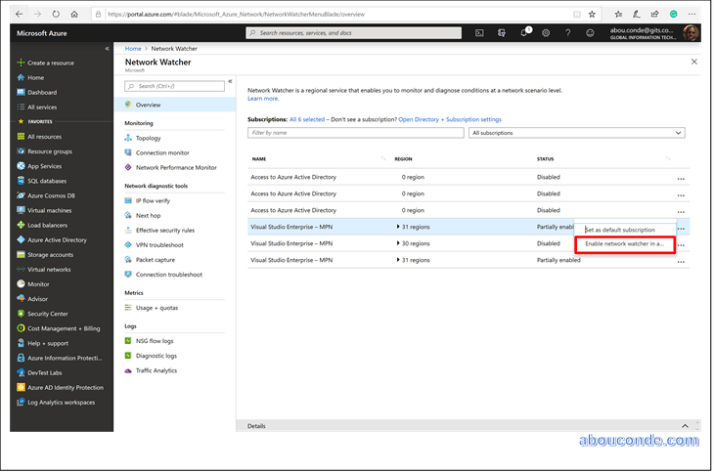
When you enable Network Watcher using the portal, the name of the Network Watcher instance is automatically set to NetworkWatcher_region_name where region_name corresponds to the Azure region where the instance is enabled.
The Network Watcher instance is automatically created in a resource group named NetworkWatcherRG.
The resource group is created if it does not already exist.
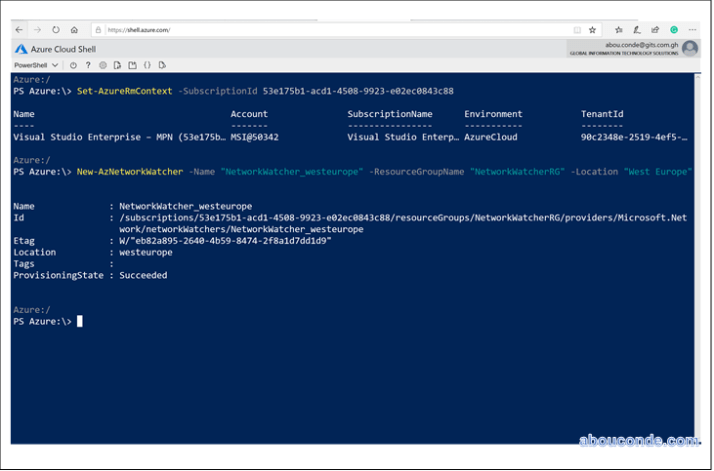
Create a Network Watcher with PowerShell
New–AzNetworkWatcher –Name “NetworkWatcher_westeurope” –ResourceGroupName NetworkWatcherRG” –Location “West Europe”
 Abou Conde's Blog