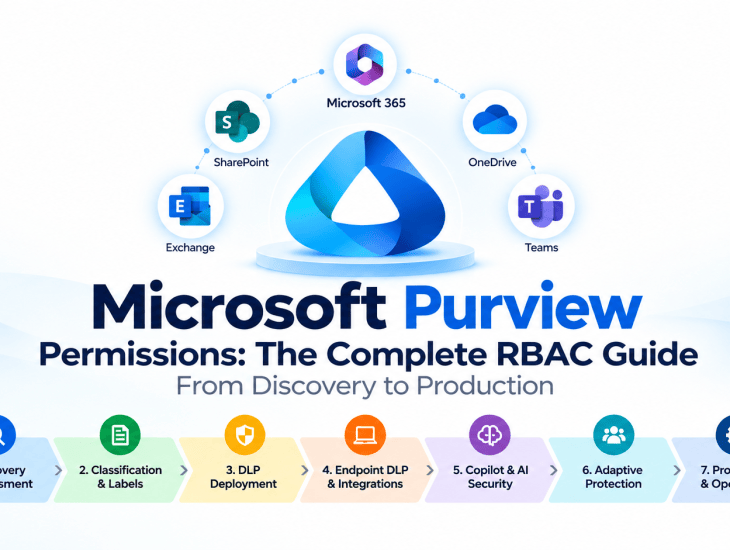
How to design a least-privilege access model for Data Security Posture Management, Information Protection, DLP, Endpoint DLP, Microsoft 365 Copilot, Insider Risk Management, and enterprise data security.
Introduction
Microsoft Purview deployments are often approached as configuration projects: create sensitivity labels, publish labeling policies, configure Data Loss Prevention (DLP), test a few scenarios, and enable enforcement.
However, one of the most important parts of a successful deployment is frequently overlooked: permissions.
Who can discover sensitive information? Who can inspect actual document contents? Who can create DLP policies? Who can investigate incidents? And which permissions should be retained after the deployment is complete?
These questions become even more important when implementing Microsoft’s Secure by Default approach, where organizations progressively apply default classification, labeling, and protection across their Microsoft 365 environment.
In this article, I’ll walk through the Microsoft Purview role-based access control (RBAC) model I recommend for enterprise deployments, from initial discovery and assessment through production rollout and operational handover.
The objective is to establish an access model that supports implementation without introducing unnecessary administrative privileges.
1. Understanding Microsoft Purview RBAC
Microsoft Purview uses role-based access control to determine which users can access specific features and perform administrative or investigative actions.
Three concepts are particularly important:
- Role: A collection of permissions for specific activities.
- Role group: A collection of roles assigned to users.
- Microsoft Entra administrator role: A directory-level administrative role that may also provide access to Microsoft Purview capabilities.
For example, DLP Compliance Management is an individual role, while Information Protection Admins is a role group.
This distinction matters because assigning a broad administrator role can grant significantly more access than a deployment consultant or security analyst actually needs.
Microsoft Entra Roles vs. Microsoft Purview Roles
Microsoft Purview and Microsoft Entra ID have related but distinct permission models.
A user assigned the Compliance Administrator role in Microsoft Entra ID may receive broad compliance administration capabilities. However, this does not mean every specialized investigative or sensitive-content permission is automatically available.
Similarly, Purview role groups do not automatically grant administrative access to other Microsoft 365 services such as SharePoint, Exchange, Intune, or Microsoft Defender.
Microsoft Purview also supports administrative-unit scoping for selected capabilities, but not every feature supports the same scope boundaries.
Broadly assigned Microsoft Entra administrator roles can provide access beyond an otherwise scoped Purview role assignment.
My recommendation: Design permissions around deployment activities and responsibilities, not job titles alone.
2. Phase 0: Discovery and Data Security Assessment
Before configuring sensitivity labels or DLP policies, organizations need visibility into their existing data-security posture.
Discovery should answer several questions:
- Where is sensitive information stored?
- Which sensitive information types are present?
- How much content is unlabeled?
- Which SharePoint and OneDrive locations may expose sensitive data?
- How is sensitive information accessed, shared, or moved?
- What risks exist around AI applications and Microsoft 365 Copilot?
- Which data repositories should be prioritized for protection?
Recommended Discovery Permissions
| Capability | Microsoft Role or Role Group | Primary Responsibility |
|---|---|---|
| DSPM Assessment | Data Security Viewers | Review data security posture, risks, and recommendations |
| DSPM Administration | Compliance Administrator | Perform authorized DSPM management activities |
| Content Explorer Inventory | Content Explorer List Viewer | View classified-content inventory, metadata, and locations |
| Content Explorer Inspection | Content Explorer Content Viewer | Inspect sensitive content when explicitly authorized |
| Activity Explorer | Information Protection Analyst | Analyze supported classification and data activities |
| AI Interaction Content | Data Security AI Content Viewer | Inspect supported AI prompts and responses when authorized |
| Tenant Assessment | Global Reader | Review Microsoft Entra and tenant configuration |
These permissions are not all mandatory for every assessment.
A consultant performing an inventory assessment may only need read-only posture and Content Explorer inventory permissions.
Actual document-content access should be reserved for approved investigations or classification validation.
Why Content Explorer Permissions Matter
Content Explorer separates inventory access from content access.
Content Explorer List Viewer allows authorized users to examine classified items and their locations.
Content Explorer Content Viewer provides additional access to underlying content.
These role groups are independent. Granting content-viewing access does not automatically replace the list-viewing assignment.
This separation is essential for least-privilege discovery.
DSPM Considerations
Data Security Posture Management provides visibility into sensitive-data risks across supported Microsoft 365 and AI workloads.
The Data Security Viewers role group supports read-only posture assessment, while broader management capabilities require appropriate administrative permissions.
Certain detailed views, including sensitive file metadata and AI interactions, require additional content-viewing permissions.
Discovery Deliverables
A completed discovery assessment should produce:
- Sensitive-data inventory
- Classification coverage assessment
- High-risk data locations
- Oversharing findings
- AI-related data-security risks
- Prioritized remediation recommendations
- Proposed sensitivity-label and DLP requirements
The output of Discovery should directly influence the classification taxonomy and DLP policy design.
3. Phase 1: Classification Architecture and Sensitivity Labels
Once the data landscape is understood, the next step is to design an information-protection model.
This typically includes:
- Sensitivity-label taxonomy
- Label priority and protection settings
- Label publication policies
- Default labels
- Sensitive Information Types (SITs)
- Trainable classifiers
- Auto-labeling strategies
- Pilot users and administrative units
Recommended Classification and Sensitivity Label Permissions
| Capability | Microsoft Role or Role Group | Primary Responsibility |
|---|---|---|
| Information Protection | Information Protection Admins | Manage information-protection configuration |
| Sensitivity Labels | Sensitivity Label Administrator | Manage sensitivity labels through an appropriately configured role group |
| Label Configuration Review | Sensitivity Label Reader | Review sensitivity-label configuration |
| Classification Analysis | Information Protection Analyst | Analyze classification and labeling activities |
| Classification Discovery | Content Explorer List Viewer | Review classification coverage and sensitive-data locations |
The Sensitivity Label Administrator role can be used in a custom role group to delegate sensitivity-label administration without necessarily granting broader compliance administration privileges.
Practical Example: Enterprise Sensitivity Label Taxonomy
A well-designed sensitivity label taxonomy should balance security, usability, and business requirements.
For many organizations, a four-level classification model provides a practical starting point:
Public → Internal → Confidential → Highly Confidential
| Sensitivity Label | Business Classification | Recommended Protection |
|---|---|---|
| Public | Information approved for public disclosure, such as published marketing materials | No encryption; unrestricted distribution |
| Internal | General business information not intended for public distribution | Internal classification; controlled sharing where required |
| Confidential | Sensitive business information, including customer records, financial reports, and contracts | Restricted sharing; encryption where justified |
| Highly Confidential | Critical information, such as strategic plans, privileged legal documents, and sensitive executive information | Strong encryption, explicitly authorized access, and stricter sharing controls |
The number of labels should be determined by the organization’s data classification policy, regulatory requirements, and business needs.
For smaller environments, a three-level model — Public, Internal, Confidential — may be sufficient. Larger organizations may require a Highly Confidential level or additional sublabels for distinct protection requirements.
Key Design Considerations
Label Priority
Configure labels from least sensitive to most sensitive. The most sensitive label should have the highest priority.
Default Labeling
Consider Internal as the default label for general business content, subject to validation and business approval.
A default label should not automatically introduce encryption or restrictions that disrupt legitimate collaboration.
Encryption
Do not automatically encrypt every label.
Apply encryption according to the sensitivity of the information, regulatory requirements, and business sharing scenarios.
For example, an Internal label may provide classification without encryption, while a Highly Confidential label may require restricted access and encryption.
User Experience
Provide clear descriptions and examples so users can select the correct label.
Avoid creating unnecessary labels that users cannot distinguish.
Governance
Validate the taxonomy with business owners, information security, compliance, legal, and other relevant stakeholders before production rollout.
The objective is not to create as many labels as possible, but to establish a consistent classification model that users understand and security controls can enforce.
Recommended Implementation Sequence
- Define the classification taxonomy.
- Identify applicable protection requirements.
- Create and configure sensitivity labels.
- Configure label publication policies.
- Validate label availability for pilot users.
- Test manual labeling and protection.
- Introduce default labeling where appropriate.
- Evaluate auto-labeling and advanced classification scenarios.
Separating technical administration from business approval is a fundamental governance control.
4. Phase 2: Data Loss Prevention Deployment
DLP introduces another important permission boundary.
The people who configure policies should not automatically be the same people who investigate sensitive incidents or view matched content.
Microsoft Purview DLP can help protect sensitive information across supported workloads, including Exchange Online, SharePoint Online, OneDrive, Teams, endpoints, and supported AI scenarios.
However, available conditions, actions, and policy behaviors vary by workload.
Recommended DLP Permissions
| Capability | Microsoft Role or Role Group | Primary Responsibility |
|---|---|---|
| DLP Configuration | DLP Compliance Management | Create, modify, and manage DLP policies |
| DLP Review | View-Only DLP Compliance Management | Review DLP policies and configuration |
| DLP Alert Management | Manage Alerts | Manage alerts with the required DLP permissions |
| DLP Investigation | Information Protection Investigator | Investigate supported information-protection events |
| Sensitive Content Inspection | Content Explorer Content Viewer | Inspect matched sensitive content when authorized |
For DLP alert management, Microsoft documents the combination of Manage Alerts with DLP Compliance Management or View-Only DLP Compliance Management, depending on the intended access.
Viewing sensitive content or previews can require additional permissions.
Recommended DLP Deployment Process
Step 1 — Policy Design
Define:
- Target workloads
- Sensitive information detection conditions
- Confidence levels and instance counts
- Actions and restrictions
- User notifications and policy tips
- Exceptions
- Business owners
- Incident reporting requirements
Step 2 — Simulation
Deploy the policy in simulation mode.
Review policy matches, false positives, and expected business impact.
Simulation helps validate detection and potential policy effects without enforcing the configured blocking restrictions.
Step 3 — Pilot Enforcement
Activate supported restrictions for a limited, approved population.
Validate real user scenarios and expected behavior.
Step 4 — Production Rollout
Expand the deployment after business and technical acceptance.
Step 5 — Monitoring and Optimization
Review incidents, exceptions, false positives, and policy effectiveness.
Important UAT Consideration
A simulation result must not be confused with a successful blocking test.
For example:
- Simulation test: Verify that sensitive content is detected and the expected policy match is recorded.
- Enforcement test: Verify that the configured restriction is actually applied.
Both tests are important, but they validate different aspects of the deployment.
5. Phase 3: Endpoint DLP and Microsoft 365 Integrations
Endpoint DLP extends data-protection controls to supported managed devices.
However, creating an Endpoint DLP policy and preparing the devices that enforce it are separate activities.
A complete deployment may involve Microsoft Purview, Microsoft Intune, Microsoft Defender, SharePoint Online, and Exchange Online.
Recommended Endpoint DLP and Integration Permissions
| Capability | Microsoft Role or Role Group | Primary Responsibility |
|---|---|---|
| Endpoint DLP | DLP Compliance Management | Configure Endpoint DLP policies |
| Device Management | Intune Administrator | Manage device configuration and onboarding when required |
| Microsoft Defender | Security Administrator / Scoped Defender RBAC | Manage authorized Defender security configuration |
| SharePoint Governance | SharePoint Administrator | Manage SharePoint settings and governance controls |
| Exchange Online | Exchange Administrator | Manage Exchange-specific configuration when required |
A Purview administrator does not automatically have permission to configure Intune, SharePoint, Exchange, or Microsoft Defender.
Each service has its own administrative model.
Endpoint DLP Prerequisites
Before deploying Endpoint DLP policies, validate:
- Supported Windows and macOS versions
- Device onboarding status
- Required licensing
- Supported applications and browsers
- Endpoint DLP settings
- Policy synchronization
- Audit event collection
- User notification behavior
Practical Example
Consider a policy designed to prevent users from copying confidential documents to removable USB storage.
The deployment team must verify that:
- The device is supported and correctly onboarded.
- The sensitive content is identified by the configured policy conditions.
- The Endpoint DLP policy applies to the test user and device.
- The restriction is enabled.
- The expected activity and enforcement events are recorded.
Endpoint readiness is just as important as policy configuration.
6. Phase 4: Microsoft 365 Copilot and AI Data Security
AI security introduces additional considerations because sensitive information can appear in AI interactions as well as traditional documents and messages.
Microsoft Purview can help organizations assess and manage data-security risks associated with supported AI workloads.
An assessment may include:
- Data Security Posture Management
- Sensitive information exposure
- Overshared SharePoint content
- AI interaction visibility
- DLP policies applicable to supported AI workloads
- Sensitivity-label protection
- Governance and remediation
Recommended Copilot and AI Security Permissions
| Capability | Microsoft Role or Role Group | Primary Responsibility |
|---|---|---|
| Data Security Posture | Data Security Viewers | Review data-security posture and risks |
| DSPM Administration | Compliance Administrator | Manage authorized DSPM activities |
| AI Content Inspection | Data Security AI Content Viewer | Inspect supported AI interactions when authorized |
| Copilot DLP | DLP Compliance Management | Configure supported Copilot DLP policies |
| Data Security Investigation | Information Protection Investigator | Investigate supported data-security events |
Important Security Consideration
Viewing AI security posture metrics does not necessarily grant permission to inspect actual prompts and responses.
Microsoft provides additional permissions for supported AI content-inspection scenarios.
These permissions should be assigned only when the assessment or investigation requires them.
Practical Example
An organization wants to assess whether sensitive information is exposed through Microsoft 365 Copilot.
The assessment may involve:
- Reviewing DSPM findings.
- Identifying sensitive or overshared content.
- Evaluating existing sensitivity labels.
- Reviewing supported Copilot DLP controls.
- Testing applicable restrictions.
- Validating remediation with business owners.
My recommendation: Treat AI interaction content as restricted investigative data, not general administrative information.
7. Phase 5: Adaptive Protection and Insider Risk Management
Adaptive Protection connects insider-risk signals with supported protection controls.
Its permission model deserves particular attention because it involves potentially sensitive user-risk information.
Microsoft provides separate role groups for Insider Risk Management administration, analysis, investigation, and auditing.
Recommended Adaptive Protection and Insider Risk Management Permissions
| Capability | Microsoft Role or Role Group | Primary Responsibility |
|---|---|---|
| Insider Risk Administration | Insider Risk Management | Broad solution administration and investigation |
| Adaptive Protection | Insider Risk Management Admins | Configure policies, settings, and Adaptive Protection |
| Insider Risk Analysis | Insider Risk Management Analysts | Analyze alerts and cases |
| Insider Risk Investigation | Insider Risk Management Investigators | Conduct authorized case investigations |
| Insider Risk Auditing | Insider Risk Management Auditors | Review supported audit activities |
| Insider Risk Approvals | Insider Risk Management Approvers | Perform designated approval activities |
For Adaptive Protection configuration, Microsoft identifies the Insider Risk Management and Insider Risk Management Admins role groups.
These privileges should not be assigned to every Purview deployment engineer by default.
Separation of Duties
A mature enterprise implementation should distinguish between:
- Administrators who configure policies
- Analysts who review alerts
- Investigators who handle cases
- Auditors who verify appropriate activity
- Authorized approvers
Where Insider Risk Management is in scope, involve the organization’s authorized compliance, privacy, HR, and security stakeholders.
8. Phase 6: On-Premises Data Discovery and Classification
Many enterprise deployments extend beyond Microsoft 365.
Organizations may still store sensitive information on Windows file shares and on-premises SharePoint repositories.
The Microsoft Purview Information Protection scanner can help discover and classify supported content in these environments.
However, scanner permissions differ from interactive Purview RBAC.
Recommended On-Premises Scanner Permissions
| Capability | Microsoft Role or Role Group | Primary Responsibility |
|---|---|---|
| Scanner Configuration | Information Protection Admins | Manage applicable information-protection configuration |
| Scanner Authentication | Scanner Service Account / Application Identity | Authenticate the scanner according to supported prerequisites |
| File Share Discovery | Repository Read Permissions | Read supported files during discovery-only scanning |
| File Classification | Repository Modify Permissions | Modify files when labeling or protection requires changes |
| Scanner Infrastructure | Local Administrator / SQL Permissions | Install and configure scanner components as required |
The scanner requires appropriately configured authentication, infrastructure prerequisites, and repository access.
Discovery vs. Enforcement
Discovery-only scanning
Read permission to the repository is generally sufficient for scanning supported content.
Classification and protection
Additional permissions may be required to modify files, apply labels, or protect content.
Protected-file handling
Additional rights-management configuration may be necessary for particular scenarios.
Avoid granting broad write access when the project only requires an initial discovery assessment.
9. Phase 7: UAT, Production Rollout, and Operational Handover
A successful technical deployment is not complete until permissions have been tested and operational responsibilities assigned.
The goal is to verify that authorized users can perform their tasks while unauthorized users cannot access restricted functions or content.
Recommended Production and Operations Permissions
| Capability | Microsoft Role or Role Group | Primary Responsibility |
|---|---|---|
| DLP Monitoring | View-Only DLP Compliance Management | Review DLP policies and configuration |
| DLP Alert Management | Manage Alerts | Manage alerts with the required DLP permissions |
| Information Protection Investigation | Information Protection Investigator | Investigate supported data-protection events |
| Audit Search | Audit Reader | Search audit records |
| Audit Administration | Audit Manager | Manage supported audit activities |
| eDiscovery | eDiscovery Manager | Manage authorized eDiscovery cases |
| Purview Role Administration | Role Management | Manage permitted Purview role-group assignments |
Recommended UAT Access Profiles
I recommend testing at least four separate personas:
Deployment Architect
Approved configuration permissions for the project scope.
Security Analyst
Monitoring and investigation permissions appropriate to the assigned responsibilities.
Business Validator
Access to test content and business approval activities without unnecessary administrative privileges.
Operations Administrator
Ongoing configuration and incident-management permissions.
Permission Validation Tests
During UAT, verify both permitted and denied actions.
For example:
- Can the deployment architect create and publish the approved sensitivity-label policy?
- Can a read-only reviewer inspect configuration without changing it?
- Can an authorized DLP analyst view policy matches?
- Is sensitive-content preview restricted to authorized investigators?
- Can a business test user apply labels without administrative permissions?
- Are temporary deployment permissions removed after handover?
These checks are just as important as validating whether a DLP policy detects or blocks sensitive information.
10. Designing the Enterprise Permission Matrix
For enterprise engagements, I recommend maintaining a permissions matrix from the beginning of the project.
A structured matrix makes it easier to track requested access, approval, validation, and eventual removal.
Recommended Permission Matrix
| Field | Description | Example |
|---|---|---|
| Deployment Phase | Project stage requiring access | Discovery |
| Capability | Microsoft Purview workload | Content Explorer |
| Role or Role Group | Exact Microsoft permission name | Content Explorer List Viewer |
| Role Type | Purview Role, Role Group, or Entra Role | Purview Role Group |
| Access Level | Read, Configure, Investigate, or Administer | Read |
| Business Justification | Reason access is required | Sensitive-data inventory |
| Assignment Scope | Tenant, administrative unit, or supported service scope | Tenant |
| Access Duration | Temporary or permanent | Temporary |
| Access Status | Requested, Granted, Tested, or Revoked | Tested |
| Evidence | Approval, screenshot, or validation result | Access validation record |
This matrix becomes a valuable project deliverable.
It supports access reviews, customer approvals, auditability, and the transition from implementation to business-as-usual operations.
Additional Governance Recommendations
Where supported, use:
- Microsoft Entra Privileged Identity Management (PIM)
- Just-in-time administrative access
- Approval workflows
- Time-bound assignments
- Administrative-unit scoping
- Periodic access reviews
- Documented permission validation
The objective is to ensure that privileges remain aligned with actual responsibilities.
11. Common Microsoft Purview Permission Mistakes
From an architecture perspective, there are several mistakes worth avoiding.
Mistake 1: Requesting Global Administrator for the Entire Project
Global Administrator may be needed for exceptional setup activities, but it should not be the default permission model for ongoing implementation.
Mistake 2: Assuming Compliance Administrator Grants Every Investigative Permission
Broad administration does not automatically replace specialized content-viewing permissions.
Mistake 3: Confusing Roles with Role Groups
Always verify whether the documented permission is an individual role or an assignable role group.
Mistake 4: Ignoring Administrative-Unit Scope
Check the effective scope of each assignment, especially when Microsoft Entra and Purview roles are combined.
Mistake 5: Granting Sensitive-Content Access Too Early
Start with metadata and inventory access. Escalate to content inspection only when justified.
Mistake 6: Forgetting Service-Specific Administration
SharePoint, Exchange, Intune, Defender, and on-premises repositories may require their own permissions.
Mistake 7: Leaving Deployment Access in Place After Go-Live
Temporary consultant privileges should be reviewed and revoked or reduced during handover.
12. My Recommended Enterprise Deployment Approach
I recommend organizing access into three distinct packages.
Package A — Discovery and Assessment
Primarily read-only access to DSPM, classification inventory, activity information, and relevant tenant configuration.
The objective is visibility without unnecessary administrative or content-inspection privileges.
Package B — Implementation and Rollout
Time-limited permissions for sensitivity-label configuration, DLP policy management, and the specific integrations included in the approved project scope.
Additional service permissions should be requested only for activities that require them.
Package C — Operations and Investigation
Permanent, role-specific access for authorized compliance administrators, security analysts, investigators, and operational teams.
This package should be established with the customer before the implementation team exits the project.
Recommended Deployment Lifecycle
Discovery → Classification → Protection → Validation → Production → Operations
At each stage, permissions should be reviewed and adjusted according to the tasks being performed.
Conclusion
Microsoft Purview security is not only about configuring sensitivity labels, DLP policies, and automated protection.
It is also about controlling who can discover, configure, inspect, investigate, and administer sensitive information.
A well-designed RBAC model should support the entire deployment lifecycle, from the initial data-security assessment through production operations.
My preferred approach is to begin with read-only discovery, grant configuration permissions temporarily, reserve sensitive-content access for authorized personnel, and establish a separate operational access model before go-live.
That approach helps organizations deploy Microsoft Purview with stronger governance, clearer accountability, and less unnecessary privilege.
The goal is not to grant every administrator access to everything. It is to ensure that the right people have the right permissions, for the right tasks, at the right time.
Official Microsoft Documentation
The following Microsoft Learn resources provide the technical foundation for this guide:
- Permissions in the Microsoft Purview portal
- Data Security Posture Management permissions
- Content Explorer
- Activity Explorer
- Get started with sensitivity labels
- Create and deploy DLP policies
- DLP alerts
- Insider Risk Management permissions
- Information Protection scanner prerequisites
- Secure by Default with Microsoft Purview
Role names, supported activities, licensing, and portal capabilities can change. Always validate effective permissions against current Microsoft documentation and the customer’s tenant configuration before production deployment.

