There are some connections in System Center 2016 Configuration Manager which use ports and some use custom ports.
I am creating inbound and outbound rules for file and printer sharing and opening TCP ports for SQL 2016.
Open Server Manager go to Tools and open Group policy management to create firewall rules for SCCM 2016

At group policy management console right click on domain and click on Create a GPO

In Name type client push for SCCM 2016

Then right click on Client push policy you created and select edit this policy

Navigate to computer configuration\policies\windows settings\Security settings\Windows firewall with advance security\Windows firewall and advance security from there you can find Inbound Rule create new inbound rule

In rule type window select Predefined and from predefined select File and Printer Sharing then click next
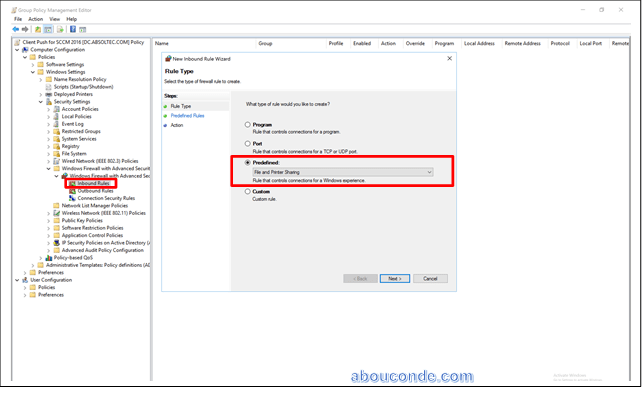
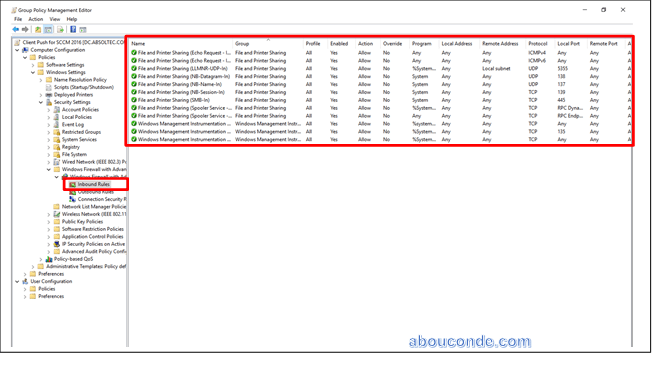
From Predefined window select all rules and click next

Here select Allow the action after that click finish


At Rule Type select Predefined and in predefined select Windows Management Instrumentation (WMI) then click next

At predefined window select all rule then click next

Select allow the connection and click finish

Creating rules to open ports for SQL 2016 replication
I am creating rule to open ports for SQL replication, open two ports
i.e Port 1433 and Port 4022
From group policy management console right click on domain and Create a GPO

Type name

Right click and select new rule to create rule for SQL 2016 Ports for SCCM 2016
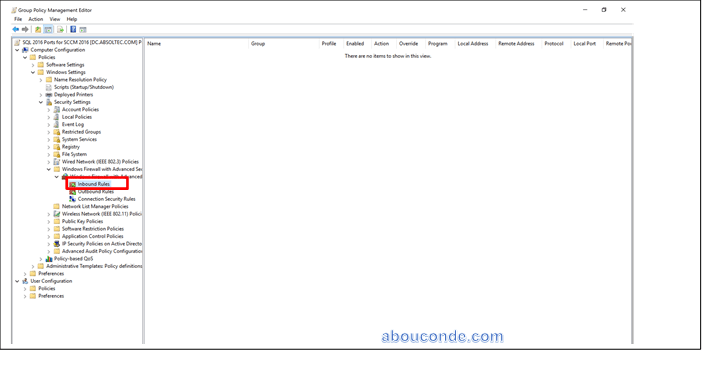
Select Port and click next
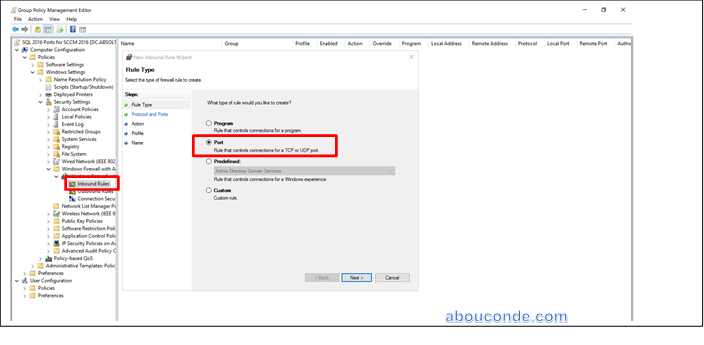
Select TCP then select Specified local ports in specified local ports type 1433 and click next

Select allow the connection then click next
From Profile window select Domain, Private, Public and click next

Type name and click on finish


Select Allow the connection then click next
Select Domain, Private, Public and click next
Type name and click on finish

Configuring firewall for SCCM 2016 Completed
Run command to gpupdate /force to update policies
 Abou Conde's Blog