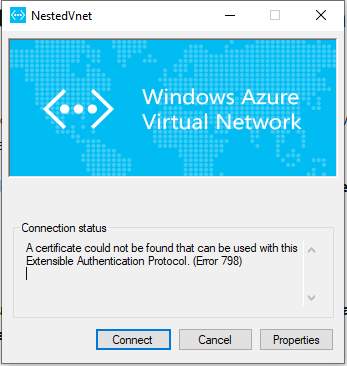
This problem occurs if the client certificate is missing from Certificates – Current User\Personal\Certificates.
Solution
Open Certificate Manager: Click Start, type manage computer certificates, and then click manage computer certificates in the search result.
Go to C:\Users<UserName>\AppData\Roaming\Microsoft\Network\Connections\Cm<GUID>, manually install the certificate (*.cer file) on the user and computer’s store.
 Abou Conde's Blog
that did not work
LikeLike